Usage reports & exports
Access usage reports for each billing period on the billing page. These reports offer a detailed breakdown of usage and display the invoice statement.
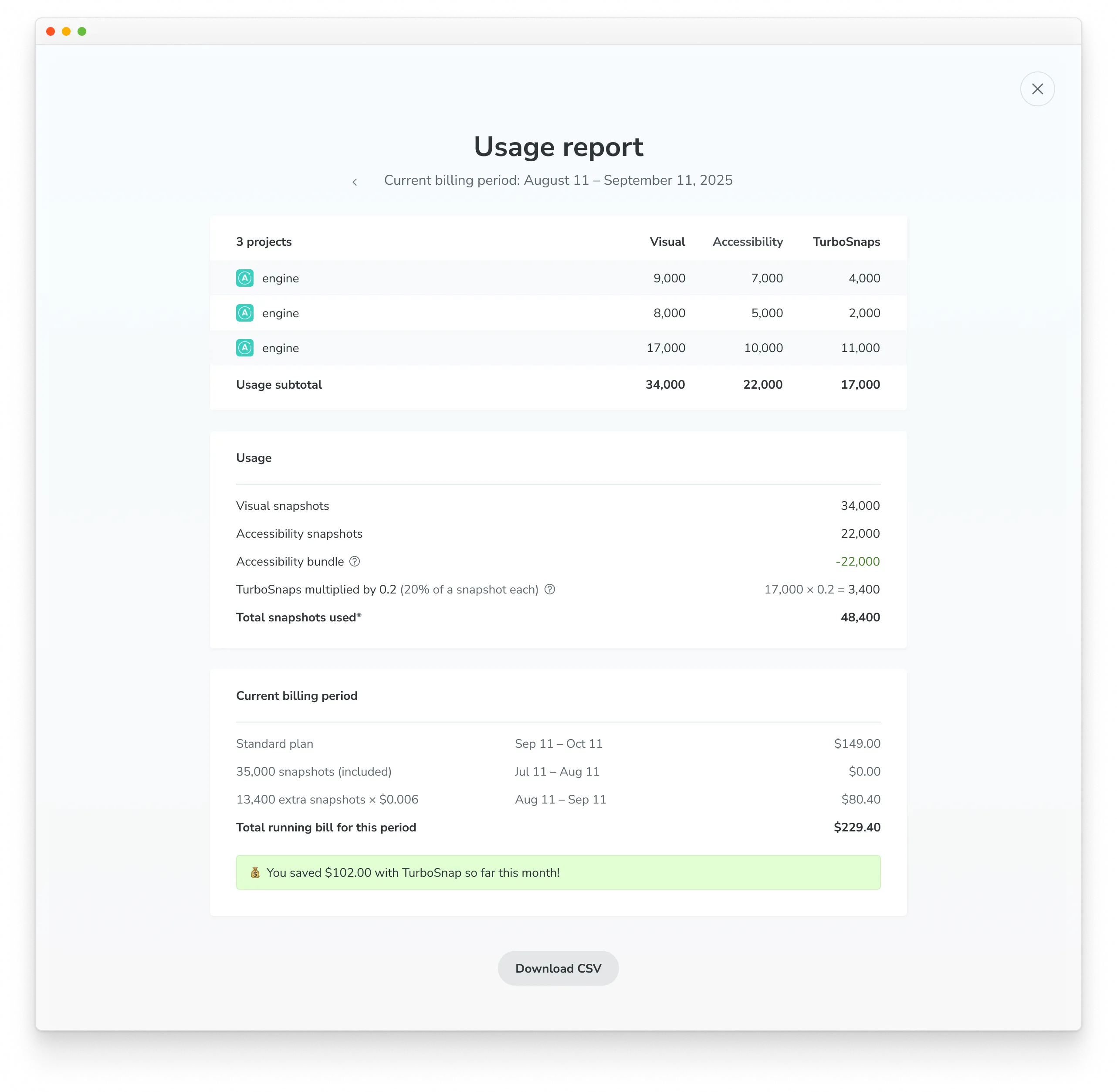
The usage section provides a per-project summary of Visual, Accessibility and TurboSnap snapshots utilized.
The invoice includes details of the active plan for the billing period, the base number of billed snapshots included, charges for additional billed snapshots, and a link to download a PDF copy of the invoice (available for all billing periods).
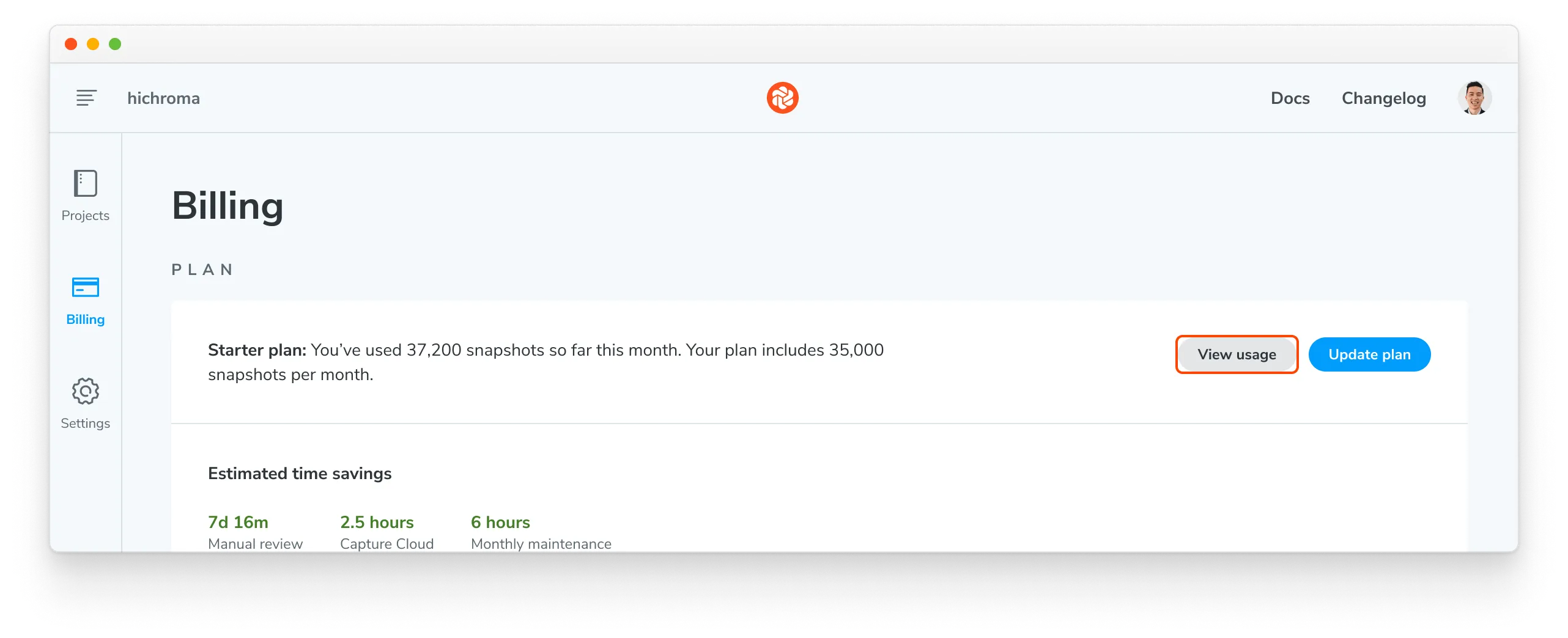
To access the current billing period’s usage report, click on the “View usage” button in the Plan section.
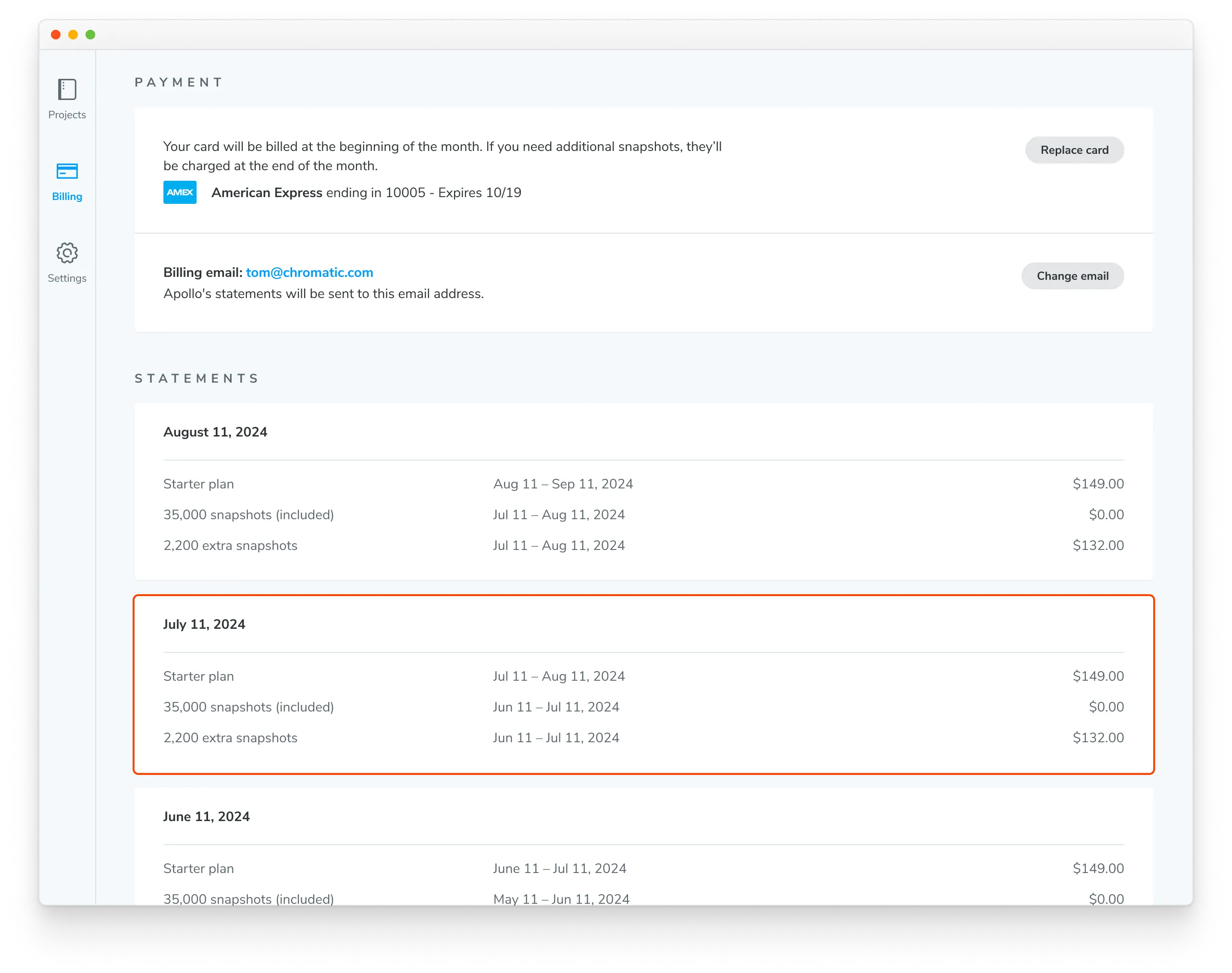
To view previous billing periods, click on the card for the desired period in the Statements section.
Export usage data as a CSV
You can generate a CSV file with a detailed list of every build within a build period. Click on a billing period to view the Usage Report, then click the “Download CSV” button to get a CSV file for that period.
The CSV file provides a granular breakdown of usage and includes the following columns:
- Date
- Creation date and time of the build (ISO 8601)
- App ID
- Unique Chromatic project identifier
- Build ID
- Unique Chromatic build identifier
- Repository slug
Owner and name of the Git repository linked to the project (
<ownerName>:<repoName>)- Branch name
Git branch name for which the build was created, prefixed with
<ownerName>:if the build originates from a fork- Build number
- The incremental number for this build
- turbosnaps
Number of snapshots copied by TurboSnap.
- TurboSnap Bail Reason
Explains why a TurboSnap triggered a full rebuild. For more details, check out the TurboSnap docs.
- Chrome snapshots
- Number of captured visual Chrome snapshots
- Firefox snapshots
- Number of captured visual Firefox snapshots
- Safari snapshots
- Number of captured visual Safari snapshots
- Edge snapshots
- Number of captured visual Edge snapshots
- Internet Explorer snapshots
- Phased out in 2023. Number of captured visual Internet Explorer snapshots.
- Accessibility snapshots
- Number of captured accessibility snapshots
Export monthly and yearly usage data as CSV
Usage reports export your account’s activity for the chosen billing period. You can also download a CSV of your monthly or yearly snapshot usage across all your projects’ builds. Click the “Generate report” button and select a year and/or month, and then click “Generate CSV.”
For a custom date range or to get the report in JSON format, contact us via in-app chat or email.