Billing
Chromatic bills customers monthly based on their subscription date. For example, if you subscribed on February 14, you’ll be billed on the 14th of each month.
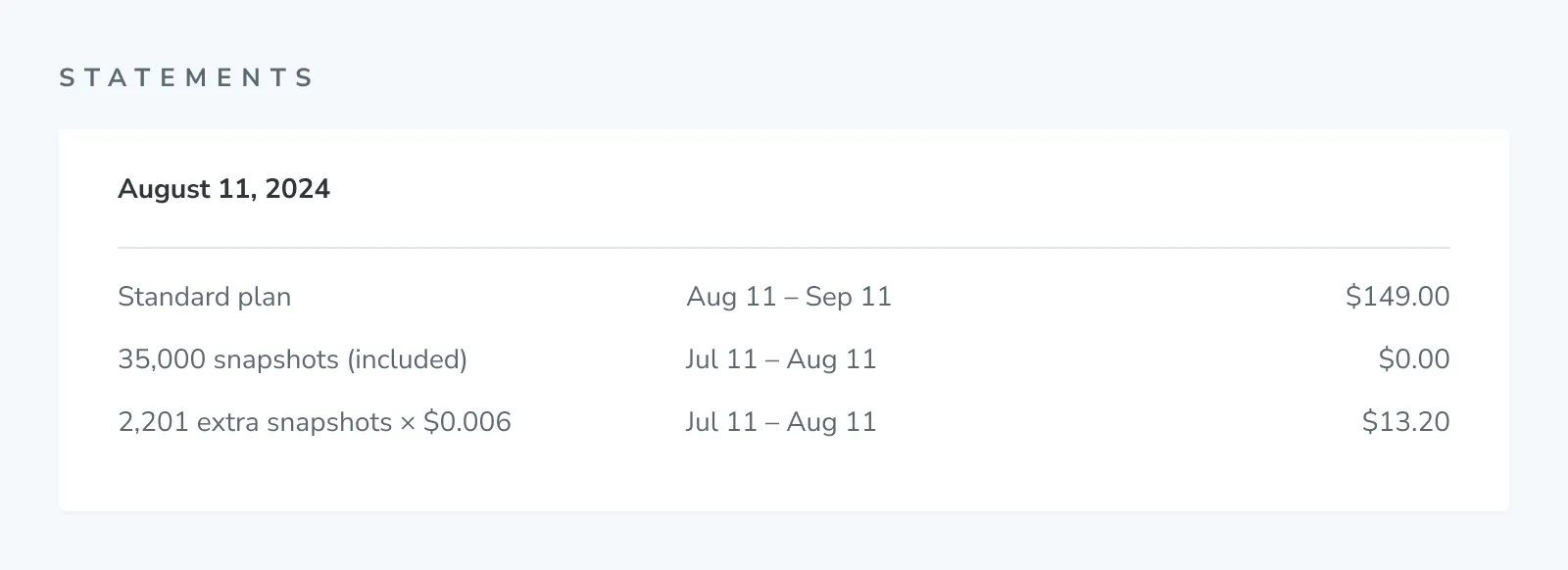
Each plan comes with a set amount of billed snapshots per month. If you go beyond that amount, then you are charged for additional billed snapshots. All counts reset at the end of each month.
Why am I not receiving invoices?
Ensure that the Chromatic invoice email (invoice+statements@chromatic.com) and chromatic.com domain is added to your approved list.
Can we pay annually for our self-serve subscription?
Not at this time. We currently only support monthly payments for our self-serve customers. If you’re interested in annual payments, consider upgrading to an Enterprise plan.
Snapshots
The monthly bill is calculated based on the number of billed snapshots. There are three types of snapshots:
- Captured (1 billed snapshot): Chromatic performs the full suite of work, including taking screenshots or capturing accessibility data, and running diffs.
- Turbosnap
- Copied (0.2 billed snapshots): Chromatic identifies tests that have no code changes associated with them or their dependencies and copies over the existing snapshots from previous baselines for them.
- Bypassed (0 billed snapshots): the build has no changes in any test’s dependencies at all, so Chromatic bypasses all snapshots.
Copied and bypassed snapshots are both produced by TurboSnap, and together they’re referred to as turbosnaps. See copied and bypassed snapshots for how Chromatic decides between them.
How we count billed snapshots
Each test can lead to multiple snapshots depending on the number of browsers/devices, modes, and test types you run. Visual and accessibility tests incur billed snapshots; interaction tests don’t.
Billed snapshots are calculated based on the number of tests, builds, browsers, and modes. You can use our snapshot calculator to estimate your monthly snapshot usage and see the underlying math.
visual snapshots = Tests x Builds x Browsers x Modes
accessibility snapshots = Tests x Builds x Modes
Without TurboSnap enabled
Chromatic captures a new snapshot for every test in every build resulting in higher usage. The total billed snapshots are calculated as follows:
billed snapshots = visual snapshots + accessibility snapshotsWith TurboSnap enabled
Chromatic copies over snapshots from existing baselines. We refer to these as “turbosnaps”, which cost 0.2 billed snapshots each. For the remaining stories, Chromatic captures new snapshots as usual. Therefore, the total billed snapshots are calculated as follows:
Visual snapshots = Tests with changes x Builds x Browsers x Modes
Accessibility snapshots = Tests with changes x Builds x Modes

turbosnaps = (Tests - Tests with changes) x Builds x Browsers x Modes
billed snapshots from turbosnaps = turbosnaps * 0.2

billed snapshots = visual snapshots + accessibility snapshots + billed snapshots from turbosnaps
Bypassing snapshots
Builds where nothing in any test’s dependencies changed are the exception. Chromatic bypasses every snapshot on such a build rather than copying it, so the build incurs no billed snapshots and drops out of the calculation entirely. See copied and bypassed snapshots.
Billed snapshots are counted at the account level
If your account has multiple projects, we sum the billed snapshots each project incurs to get your total usage. You can see a breakdown of billed snapshots by project in the usage report for each billing period.
A couple more things to note:
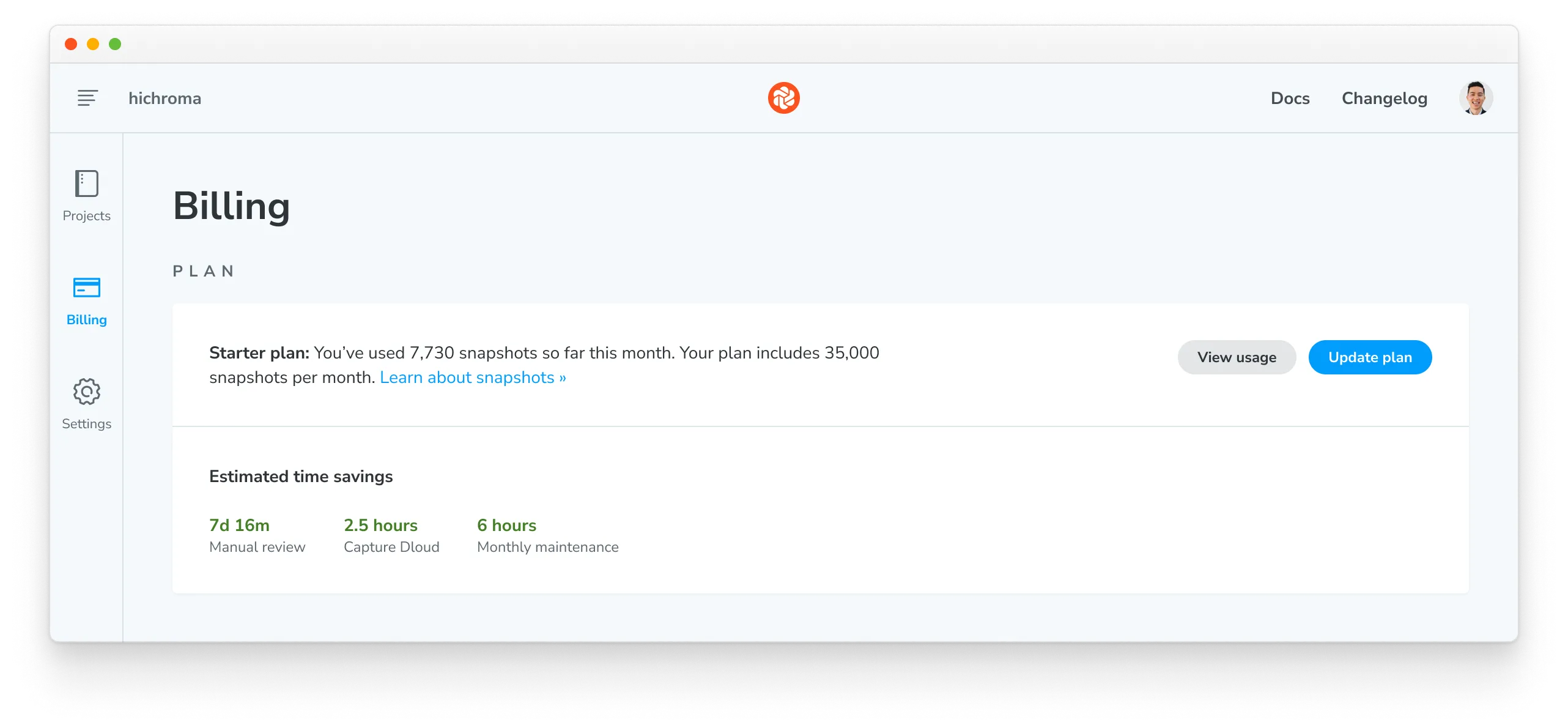
- Your billing page will include a breakdown of captured snapshots vs turbosnaps.
- If you use our free Publish Storybook service only (i.e., UI Test and UI Review is disabled) you won’t incur billed snapshots.
How does each method for ignoring a story affect billing?
| Method | Effect on billed snapshots |
|---|---|
Stories declared in the preview file (stories parameter) | Story files that don’t match the glob, or are ignored (!src/legacy/**), are not built and generate 0 billed snapshots. |
disableSnapshot parameter | Chromatic skips snapshot capture for the story, so it generates 0 billed snapshots. |
.chromatic-ignore, data-chromatic="ignore", or ignoreSelectors parameter | Chromatic excludes a specific area or element from visual comparisons. The visual snapshot is still captured and generates billed snapshots. |
| TurboSnap | Copied snapshots cost is 0.2 billed snapshots. Bypassed snapshots generate 0 billed snapshots. |
onlyStoryNames / onlyStoryFiles | Stories excluded by these options are billed at the copied at the rate of 0.2 billed snapshots. The rest are billed at the normal rate of 1 billed snapshot per captured snapshot. |
--skip flag | The build is skipped entirely and generates 0 billed snapshots. |
| Unstable, ignored, or quarantined stories | Stories are still captured, even if their diffs are not reviewed. Each captured snapshot generates 1 billed snapshot. |
View current month’s usage
Find the current month’s usage in the Plan section of the Billing page.
Additional billed snapshots
Each plan comes with a specific number of included billed snapshots. If your usage reaches that amount:
-
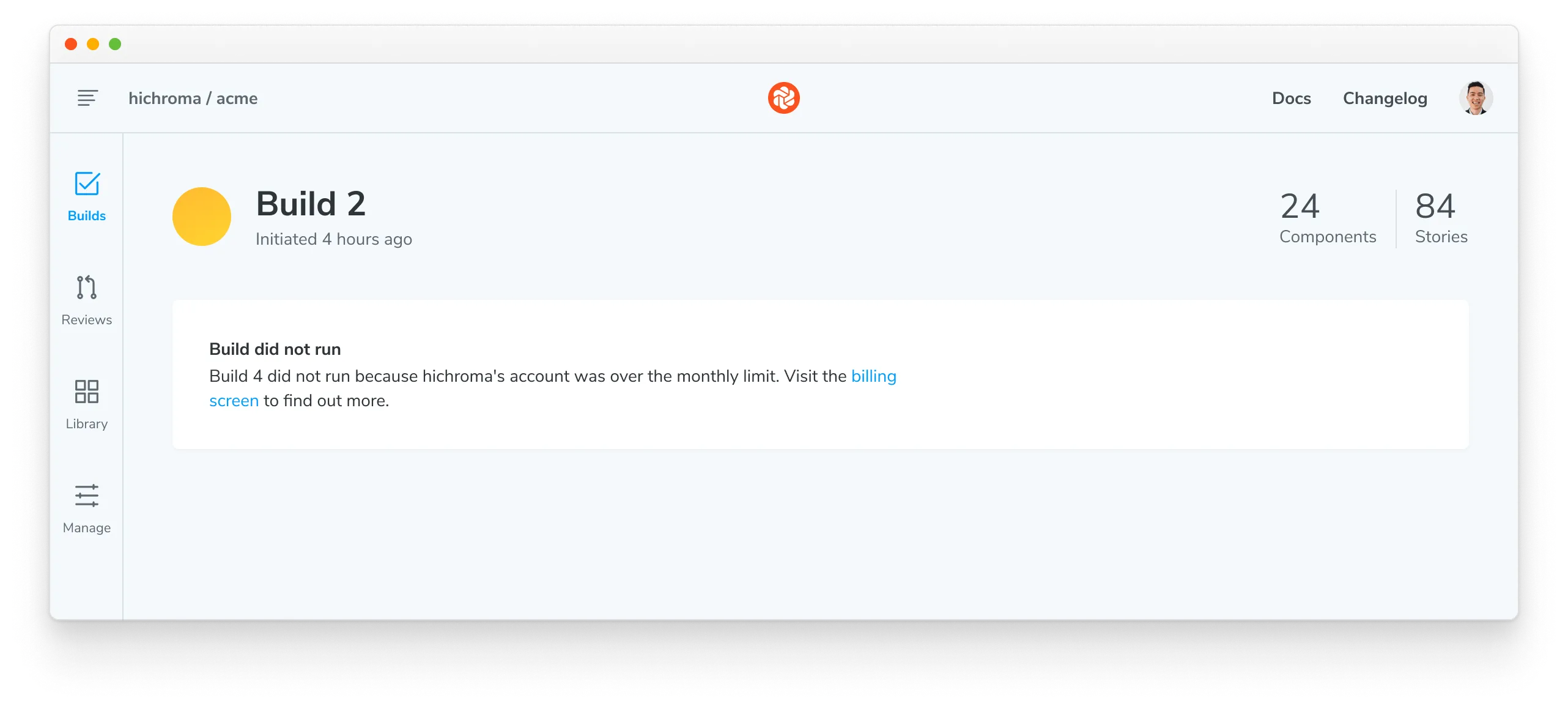
Free plan: Review and testing will be paused once you use all 5,000 included billed snapshots per month. You can resume testing by upgrading to a paid plan or waiting until your included billed snapshots reset at the end of the billing cycle.
-
Paid plans: Review and testing will not be interrupted. Additional billed snapshots beyond the included amount are charged at the end of the billing period.
For information on the number of billed snapshots included in each plan and the cost of additional snapshots, refer to the pricing page. A default usage alert emails you when you use all of your included billed snapshots, and you can add a custom alert for any other threshold.
Alternatively, you may consider upgrading to an enterprise plan for more billed snapshots. Contact us via in-app chat or email to learn more.
Usage alerts
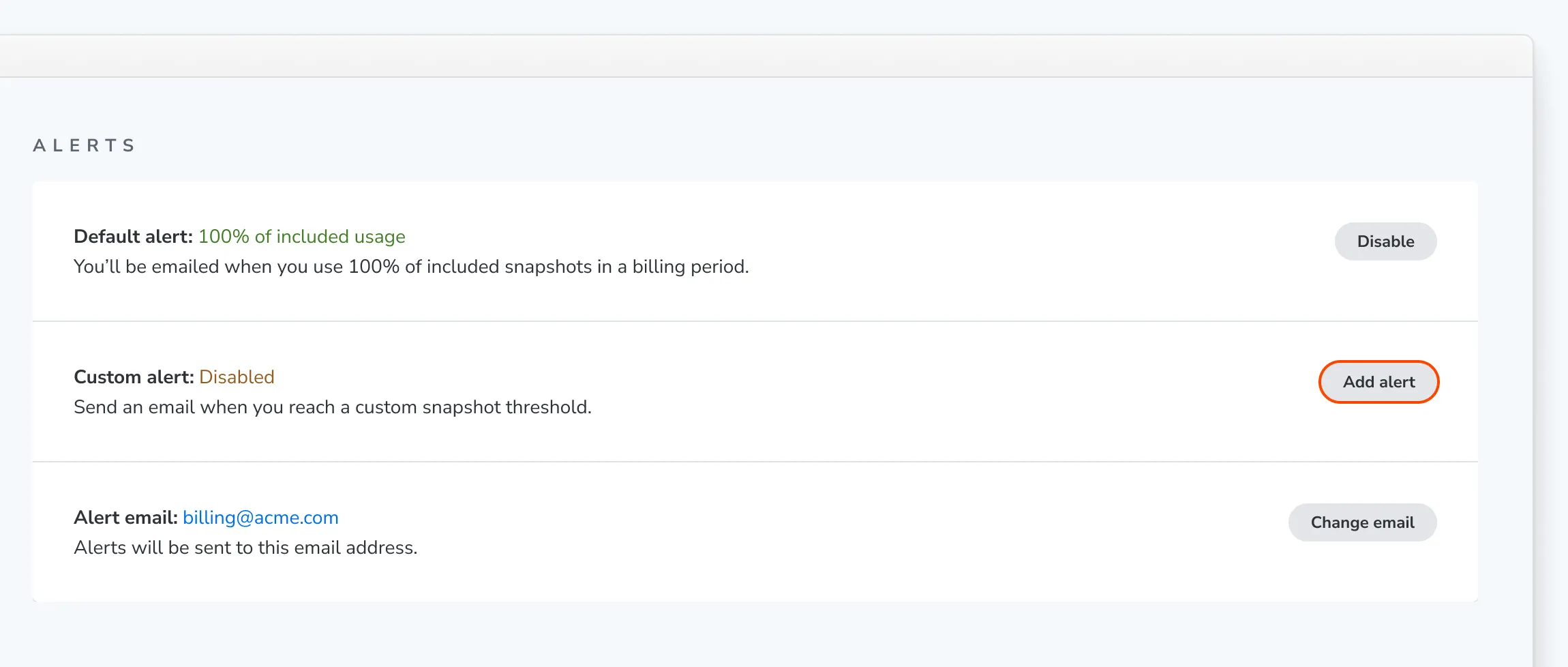
Usage alerts email you when your account’s billed snapshots reach a threshold, so a spike in usage shows up before your invoice does. Manage them in the Alerts section of the Billing page.
Default alert
Your account has a default alert that’s on automatically. When a build uses up your included billed snapshots, including any bonus ones, Chromatic emails you. It sends this email once per billing period.
To turn it off, click Disable next to Default alert. Click Enable to turn it back on.
Custom alert
Add a custom alert to get notified at a different threshold, such as before you reach your included billed snapshots. Click Add alert next to Custom alert, enter a Snapshot threshold, and click Add alert.
For example, to get a notification when you use 90% of the 35,000 billed snapshots in the Starter plan, set the threshold to 31,500.
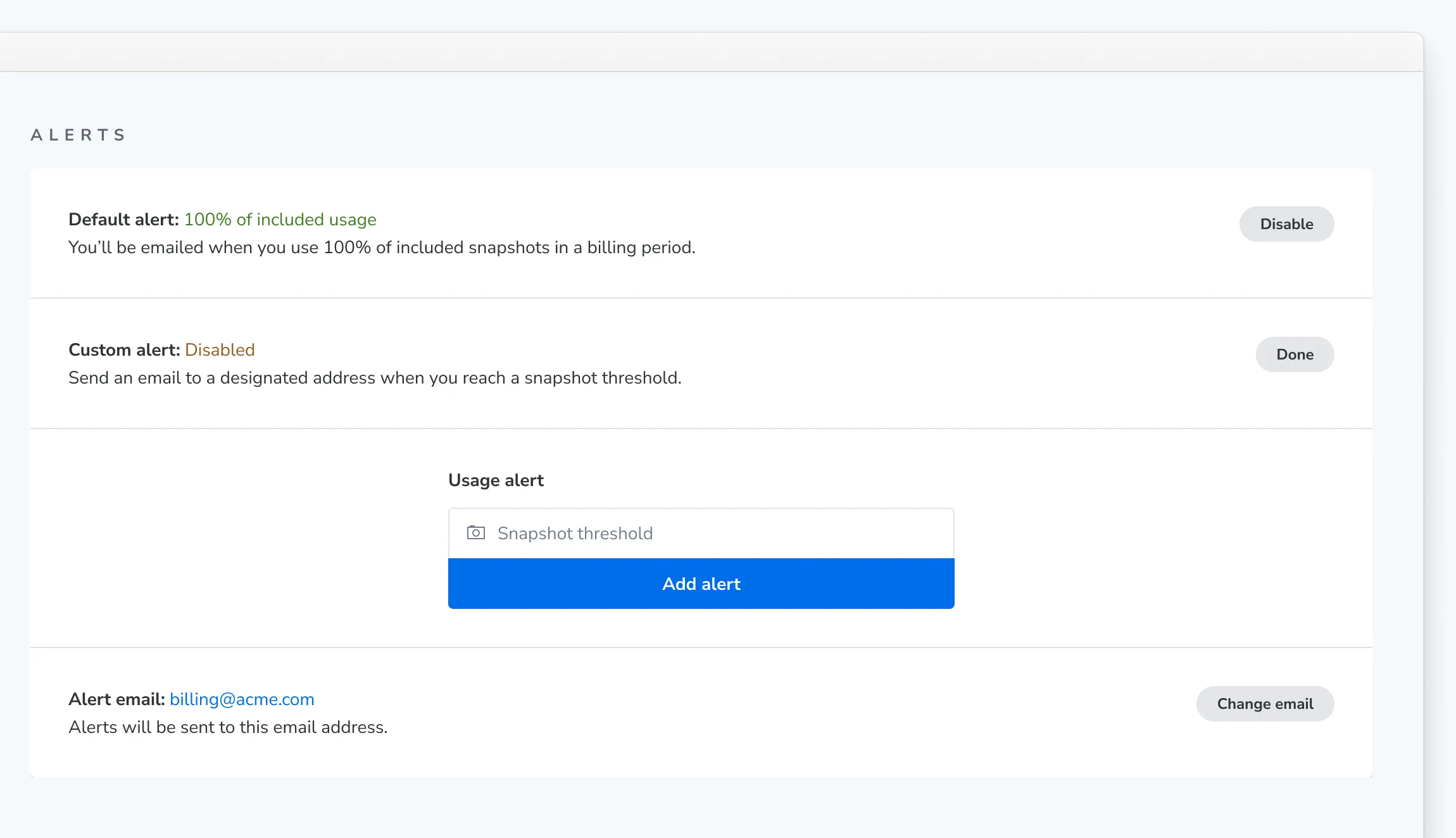
To edit or delete a custom alert, click Change or Remove.
Alert email
Both alerts go to the Alert email address, which defaults to your billing email. If you set up a usage alert before default alerts were introduced, its email address became your alert email. To send alerts somewhere else, click Change email, enter the address, and click Update alert email.
Data retention
Chromatic guarantees a minimum of 12 months of data retention for builds and snapshots on all plans.
Change plans
Change your plan in account settings. All changes are prorated to the day. That means you can change your plan anytime in the month without getting charged unnecessarily for unused billed snapshots.
Legacy plans
In September 2025, we announced adjustments to our paid plans. The Standard plan has been renamed the Pro plan, while the now “Legacy Pro plan” is no longer available to new customers. However, we will continue to honor the benefits of the Legacy Pro plan for all existing customers on that plan as long as they remain subscribed.
These changes will take effect with the November 2025 billing cycle.
Invoices
Invoices are generated each month on your account’s Billing page. Click to see a PDF of the amount owed and a breakdown of billed snapshot usage.
Email invoices to your billing or finance manager
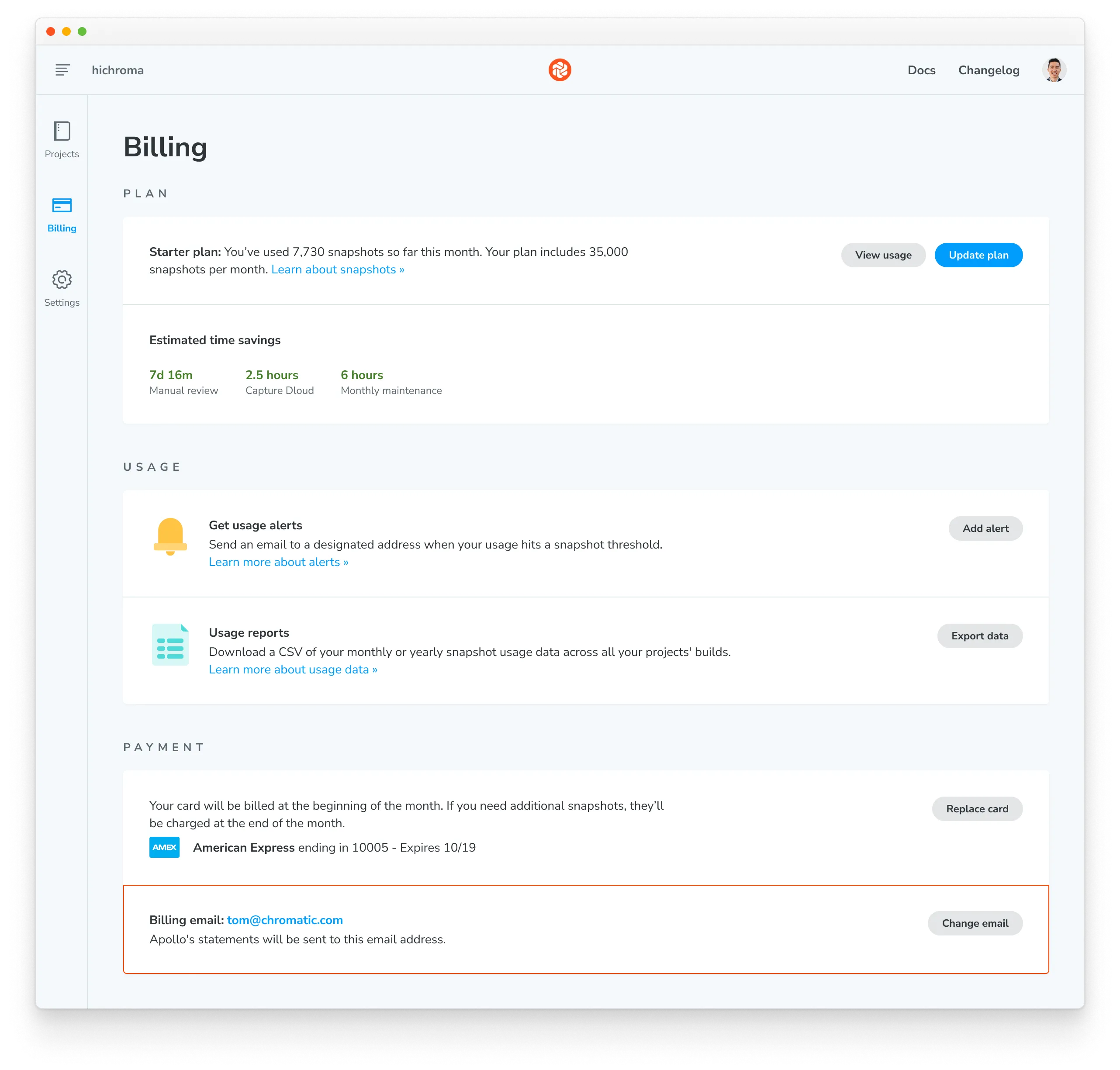
By default, Chromatic sets the account’s billing email to the email address of the person who signed up for the plan. We send all billing and account related emails to this address.
Go to the Payment section on the Billing page to change the billing email associated with your account. Click “Change email”.
Refunds
If you aren’t happy with Chromatic, we’ll refund your money. We want customers to ship consistent UIs, save time, and build bulletproof component libraries.
If it’s not working out for you, contact us via our in-app chat or email to get a refund for your current month’s usage.
Subsequent refunds will be credited to your account for use in future invoices.